
Face Symmetry Checker
Compare how 16 matching landmark pairs line up in your photo, inspect six facial regions and see both mirrored halves. This free checker calculates a photo symmetry index in your browser. Start with the fictional sample or choose a clear, front-facing portrait.
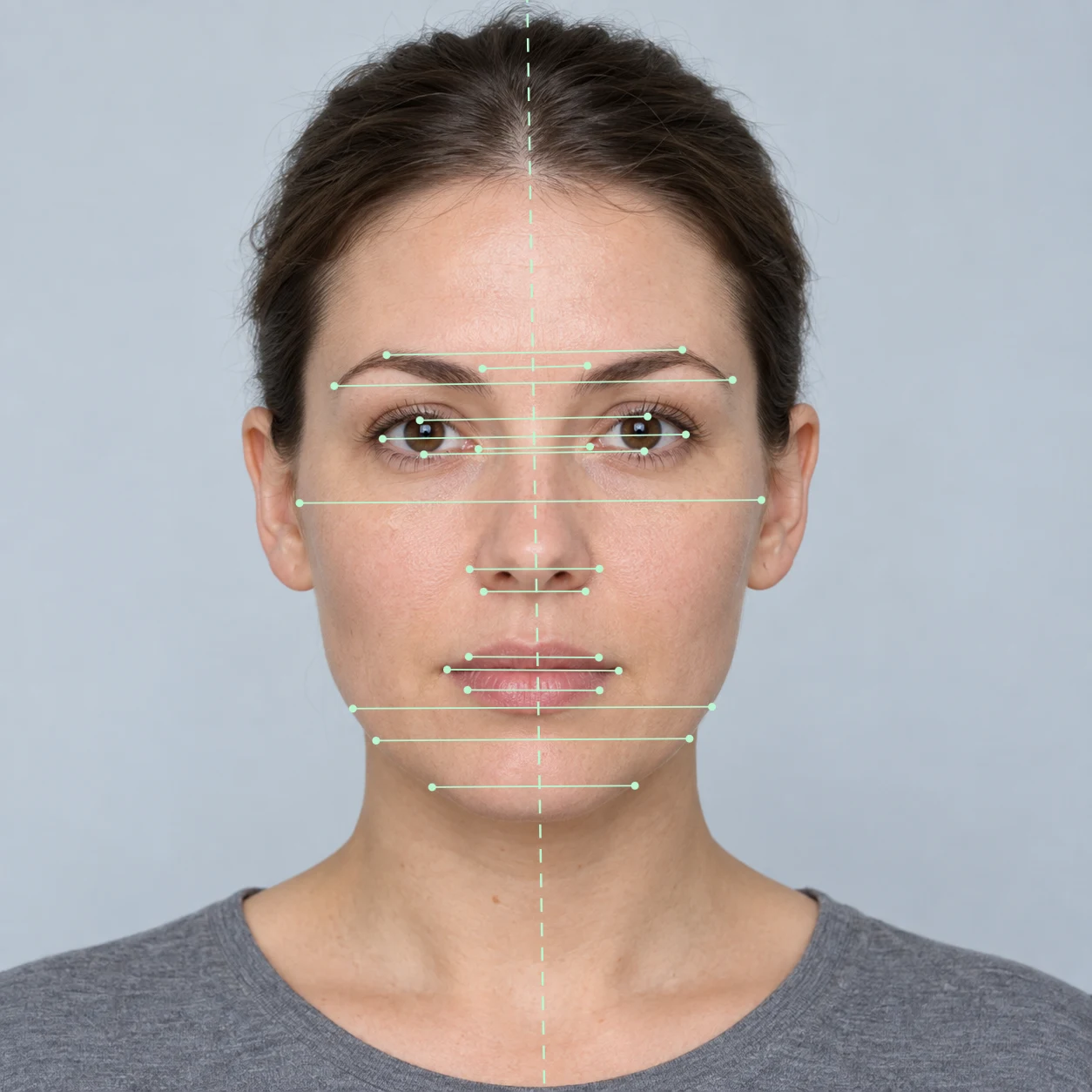 Example portrait · Synthetic
Check your photo
Use one clear photo with your head facing the camera.
JPG, PNG, WebP or HEIC · Up to 20 MBYour photo stays in your browser. Nothing is uploaded.
Use a clear, front-facing photo with your whole face visible. Direct HEIC upload supported.
Four tips for a useful photo
- Face the camera straight on with your whole face visible.
- Keep the camera at eye level and your expression relaxed.
- Use soft, even light across both sides.
- Keep hair, glare and accessories clear of the features.
Preparing private analysis
- Prepare photo
- Initialize local model
- Detect facial landmarks
- Compare paired features
- Prepare results
Your photo stays on this device throughout the process.
Keep your face centered, relax your expression, and use even light.
Free photo tools · Clear your result whenever you choose
How the measurement worksFace Symmetry Checker: Photo report
Your symmetry results
Explore the measured points and compare the two sides of your photo.
Smaller mismatchLarger mismatchCircle size shows reflected pair error.
Select a feature region to highlight its measured pairs.
Feature breakdown
Lower mismatch = closer alignmentSee the individual landmark measurements
One original. Two mirrored halves.
Mirrors use the detected, roll-leveled eye centerline. Labels refer to the picture’s sides. A composite is a visual effect, not a prediction.
The PNG and printed report can contain your photo. The measurements JSON contains numbers and method details. You choose whether to save or share them.
A selected 2D landmark measurement. Camera angle, lighting and expression affect the result. Method and limitations.
How the face symmetry test works
Choose one portrait
Use JPG, PNG, WebP or HEIC, up to 20 MB. Keep your whole face visible, look toward the lens and use even light. The sample lets you learn the controls without selecting your own photo.
Check the estimated points
The model estimates facial landmarks. The checker levels the eye line, reflects selected points around an eye-centered reference line and compares each with its partner.
Inspect, then save
Select a feature region to highlight its points. Compare the original and mirrored halves, open the individual measurements, or save a report. Use Clear my photo when finished.
Read the points before the score
The index describes selected geometry in this photograph. Higher means closer alignment under this method; it does not tell you what percentage of your entire face is symmetrical.
- Landmark overlay
- Look for points that miss the visible feature, especially near hair, glasses or a turned cheek. A plausible number cannot rescue misplaced points.
- Feature breakdown
- Inspect eyes, eyebrows, nose, mouth, cheeks and jaw separately. Lower mismatch means the selected pairs in that region sit closer to their reflected partners.
- Photo symmetry index
- The checker averages the 16 pair mismatches, expresses the result as a percentage of eye-center spacing, then subtracts it from 100, with a floor of zero.
- Mirrored halves
- Each composite repeats one picture half, including its lighting and expression. Picture-left and picture-right describe the image, rather than the subject’s anatomical sides.
The headline rounds to a whole number, so an index of 97 can appear beside 2.8% mismatch: 100 − 2.8 = 97.2, displayed as 97. See how to interpret the scale.

Why the six regional numbers should not be averaged equally
Each landmark pair has equal weight in the overall mean. The regions contain different numbers of pairs: eyes 4, eyebrows 3, nose 2, mouth 3, cheeks 1 and jaw 3. Averaging the six regional means equally would give the single cheek pair more influence than any one eye pair.
For an invented example, if only the cheek pair had 8% mismatch and the other 15 pairs had zero, the overall mismatch would be 8 ÷ 16 = 0.5%, giving an unrounded index of 99.5. These are arithmetic examples, not expected readings or a normal range. Inspect the exact pairs and equations.
Keep the capture conditions consistent
Head turn changes how a three-dimensional face projects into a flat picture. Leveling a tilted eye line cannot undo that effect. In our constructed head-turn experiment, the same symmetric reference model produces different indices after rotation. That experiment tests the formula, not the detector’s accuracy on people.
Place the camera at eye level and take the picture from farther away if an arm’s-length selfie makes proportions look unfamiliar. Around 5 feet (1.5 meters), followed by framing or cropping, is a practical starting point when space allows. It is not a calibrated distance for this checker. See the perspective explanation and its sources.
For a repeat comparison, keep the same camera, distance, expression and light. Change one capture condition at a time and note what changed. A different result describes a different photo; it does not establish a physical change in your face.
One original, two mirrored portraits
These are actual tool outputs from the labeled fictional sample. Choose Try the sample in the checker, then follow the same features through the views.
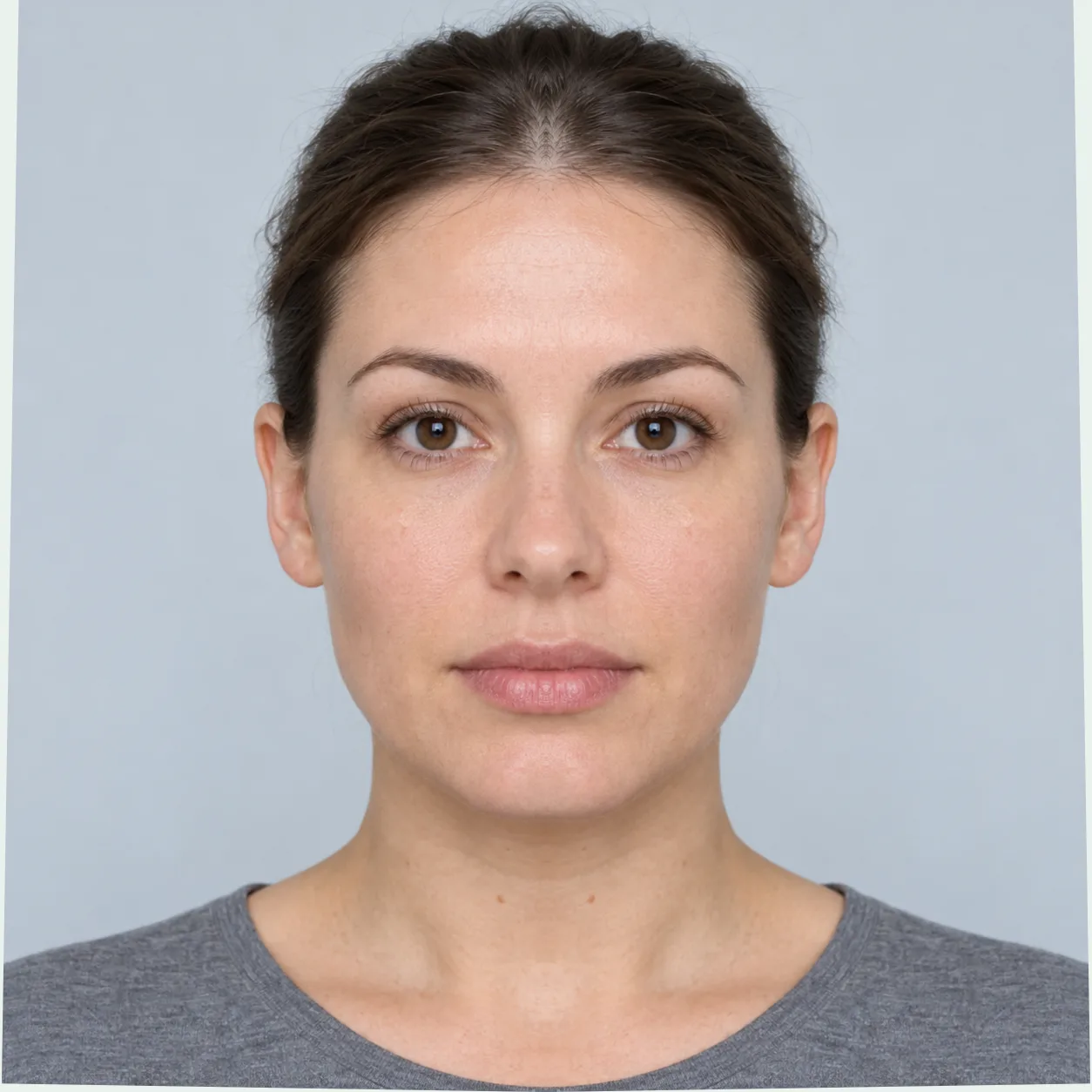
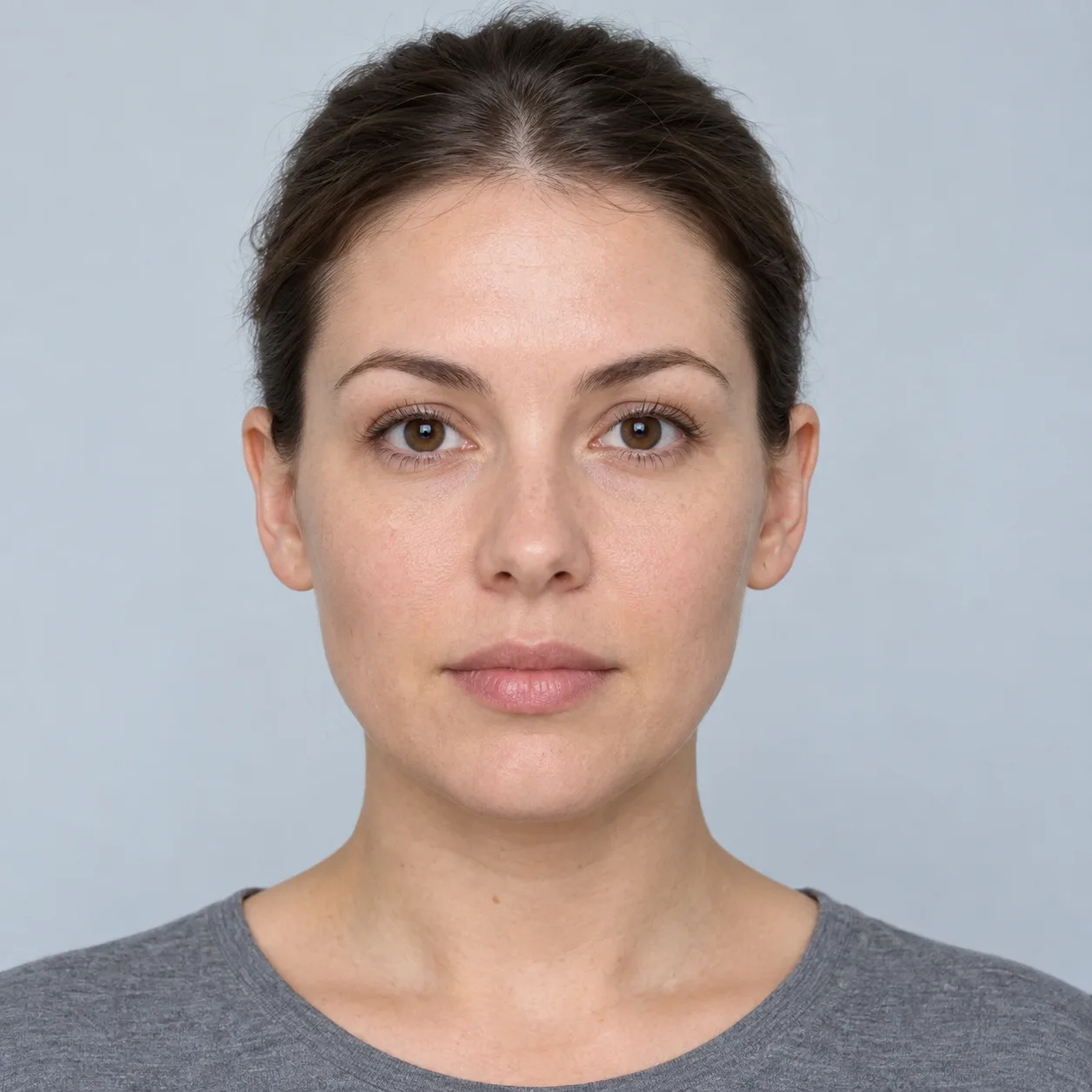
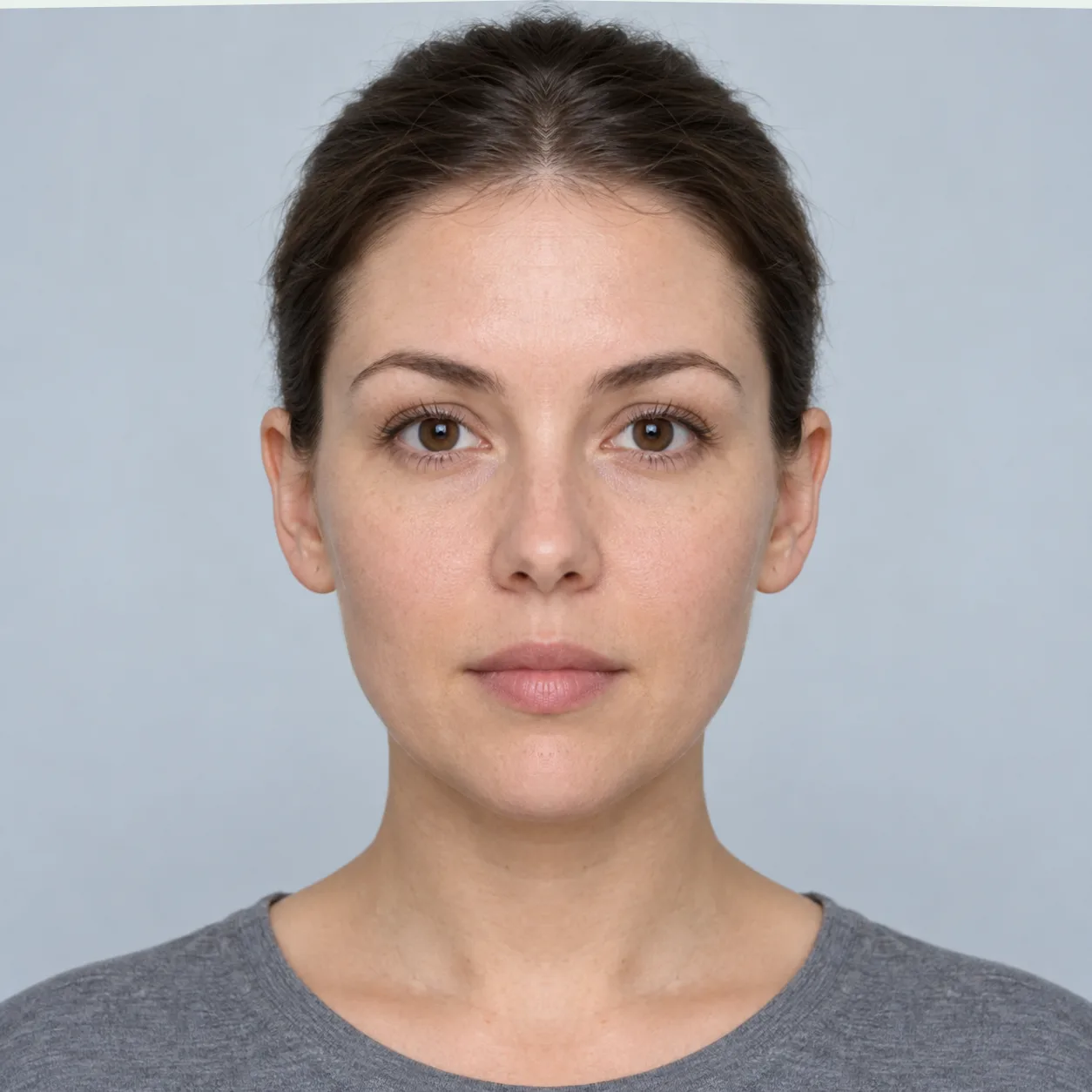
- Start with the original. Notice the mouth corners, cheek lighting and brow shape before choosing a composite.
- Select Mouth in the result. Inspect the highlighted pairs and open the individual landmark measurements. The regional reading summarizes only those three pairs.
- Compare both composites. Notice which differences come from duplicated light or expression. A visual preference cannot establish a better anatomical side.
A horizontal flip swaps the two picture sides. A mirrored composite repeats one side and replaces the other. Flip an image or use the adjustable symmetrical face generator for a separate visual experiment.
What to check before trying again
- No face, more than one face, or a pose warning
- Choose a single clear portrait with the whole face visible. Face the lens directly and keep hair clear. The pose and image checks are implementation heuristics; passing them does not validate a measurement.
- The index changes between photos
- Compare the pose, camera distance, expression and point locations first. For a controlled comparison, analyze two photos with the same method and inspect both overlays. Read why scores vary.
- The model is slow or a phone image will not open
- The first automatic analysis loads model files. Keep the page open while it initializes. Direct HEIC upload is supported. If analysis fails, use the displayed retry option or another clear image.
Choose a more specific photo task
Eye symmetry test
Place four points to compare eye-corner tilt, width and midpoint height.
Open toolFace proportion calculator
Define two distances and compare their lengths in the same image.
Open toolCompare face symmetry
Inspect two photos with matching overlays, regional readings and a measurement export.
Open toolExplore a feature: Smile · Jaw · Nose · Canthal tilt
Face symmetry checker questions
Is my photo uploaded or saved?
Selected photos, camera frames and measurements are processed in the current page; the photo tools do not upload them or save a result history. The website still loads files, and optional analytics can send usage information if you allow it. Clear removes the active photo and result. Files you download remain separate copies. Read the data paths and privacy controls.
What can I download?
Save comparison PNG creates a left-composite, original and right-composite image. Print / save PDF can include your photo. Download measurements creates a JSON record of the method, measurements and estimated pose, without photo pixels. Choose what you want to keep before clearing the page.
Is a score of 90 good?
There is no validated normal range for this checker. An exact index of 90 corresponds to 10% average reflected mismatch relative to eye spacing; the whole-number display is rounded. It is not a population percentile or a measure of attractiveness. Inspect the points and capture conditions rather than treating one number as a verdict.
Does the camera scan make the result more accurate?
The scan collects five accepted frames and reports a median index with the observed mismatch range. Regional details use a representative frame. This describes variation during that short capture; it does not establish accuracy, remove viewpoint effects or provide a clinical confidence interval.
Why can a mirrored face look unfamiliar?
Repeating one picture half changes the other half’s geometry, expression and lighting. Your familiarity with the original also affects the comparison. A composite is a visual effect, not a prediction of treatment or a test of how other people see you. Explore the mirror tools.
Can this checker diagnose facial asymmetry?
It cannot establish a diagnosis, health status or treatment need. It measures selected points in a two-dimensional photo. Sudden facial drooping or weakness needs immediate emergency help, especially with arm weakness or speech difficulty. Read the urgent signs.
What supports this checker?
The published method specifies all 16 pairs, the reference line, equal pair weights and equations. The reproducible model experiment shows a projection limitation. Software checks establish behavior for defined inputs; clinical accuracy, demographic performance and population norms remain unvalidated.
Published by Face Symmetry Checker. Content and implementation reviewed November 2, 2026. Sources, AI assistance and corrections · Contact Aron.
- Google’s Face Landmarker documentation
Describes the model’s estimated landmarks, expression coefficients and transformations. It does not validate this website’s index.
- Ward and colleagues: short-distance photographs, 2018
A projection model of nasal breadth relative to facial breadth explains why camera distance matters. It does not supply a correction for this checker.