
Mirror Face Filter
To make a left-left or right-right face, repeat one half of a portrait in the symmetrical face generator. To reverse a whole selfie, use the inverted filter. To choose between real camera angles, compare two separate photos in Good Side Finder. Each tool changes a different thing; the examples below show what to expect.
What would you like to make?
Repeat either half
Create image-left and image-right mirrored portraits. Move the dividing line and adjust photo tilt to explore the composite.
Output: two artificial mirrored facesOpen the symmetrical face generator 02 · One photo, both orientationsFlip the whole photo
Swap the displayed left and right of the entire picture. Keep both sides of the face, the expression and the original camera perspective.
Output: the supplied photo and its reflectionOpen the inverted filter 03 · Two photos, your preferenceCompare portrait angles
Place two real photographs side by side. Label their angles and choose the lighting or expression you prefer for your purpose.
Output: a labeled portrait comparisonOpen Good Side FinderThe three editors process selected photos in your browser and calculate no beauty rating. The generator and inverted filter include a fictional sample; Good Side Finder needs two photos you choose.
“Mirror face” can mean different edits
Repeating a half replaces the other half. Flipping the whole image keeps both halves and reverses their positions. Photographing the opposite cheek changes the camera’s view of a three-dimensional subject. Those operations cannot substitute for one another.

| Your question | Use | Keep in mind |
|---|---|---|
| What would repeating this half look like? | Symmetrical face generator | The mirror line, crop, hair and lighting affect the result. |
| Is my saved selfie the other way around? | Inverted filter | Check a real text or scene clue; the tool cannot identify the capture history. |
| Which angle works for my profile photo? | Good Side Finder | Your selection is a preference for that pair, not a permanent best side. |
| How do corresponding detected points compare? | Face symmetry checker | Inspect the original photo, landmark overlay and defined 2D method. |
A composite and a measurement answer different questions
A repeated-half portrait is symmetrical because the editor constructs it that way. It does not show how symmetrical the source was. A whole-image flip moves existing differences to the opposite side; it does not measure them or remove the photo’s perspective.
The automatic checker instead detects facial landmarks and compares 16 selected pairs relative to an eye-based reference. Its displayed index describes those points in one photo. It is not a beauty percentile, a diagnosis or a three-dimensional scan. Read the methodology and validation limits before comparing numbers.
Compare the original with both halves
Use the middle image as the reference. Trace the hair part, the eyelid shapes and the shirt neckline into each repeated-half result. Then look beyond the face: hair, clothing and the background follow the same reflection.
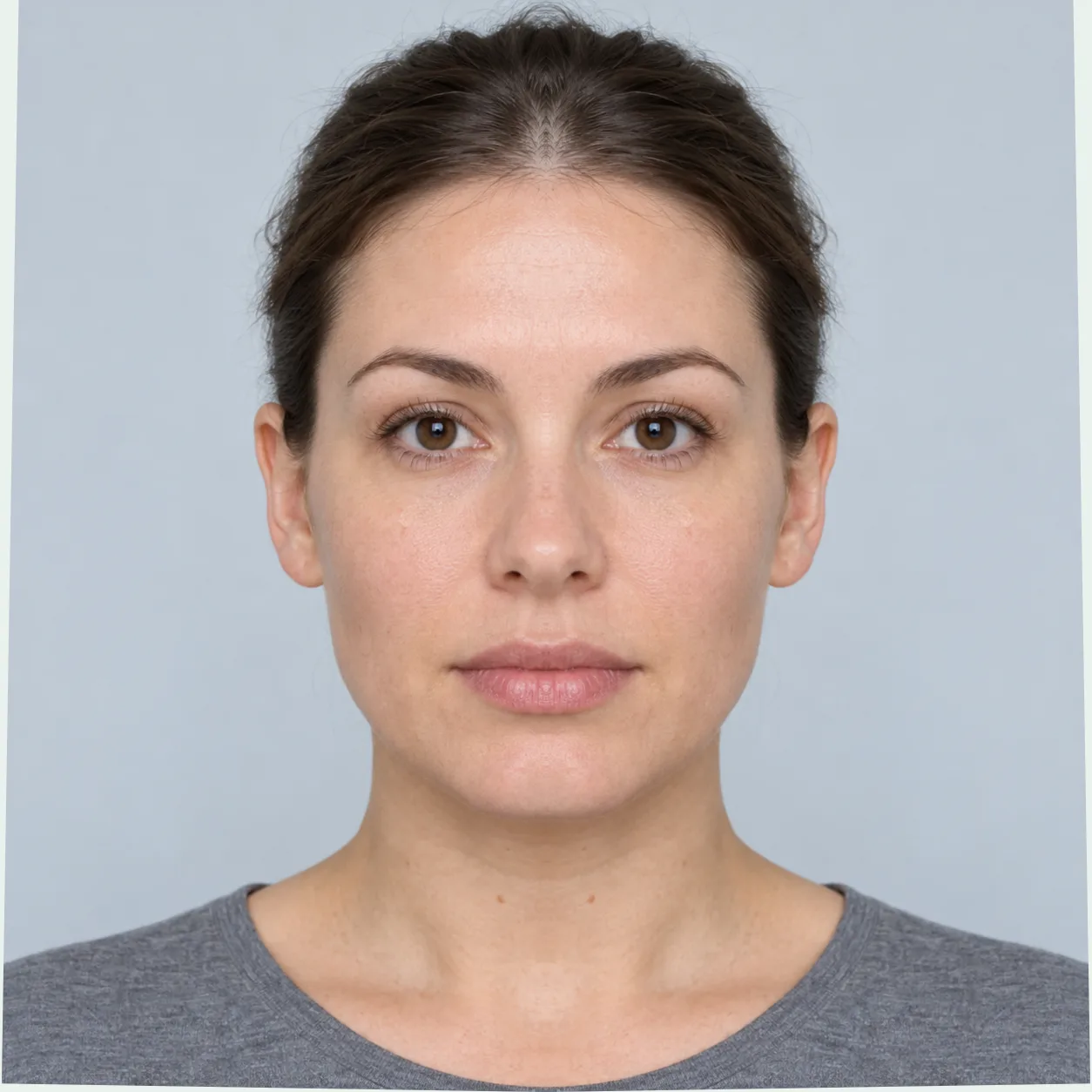
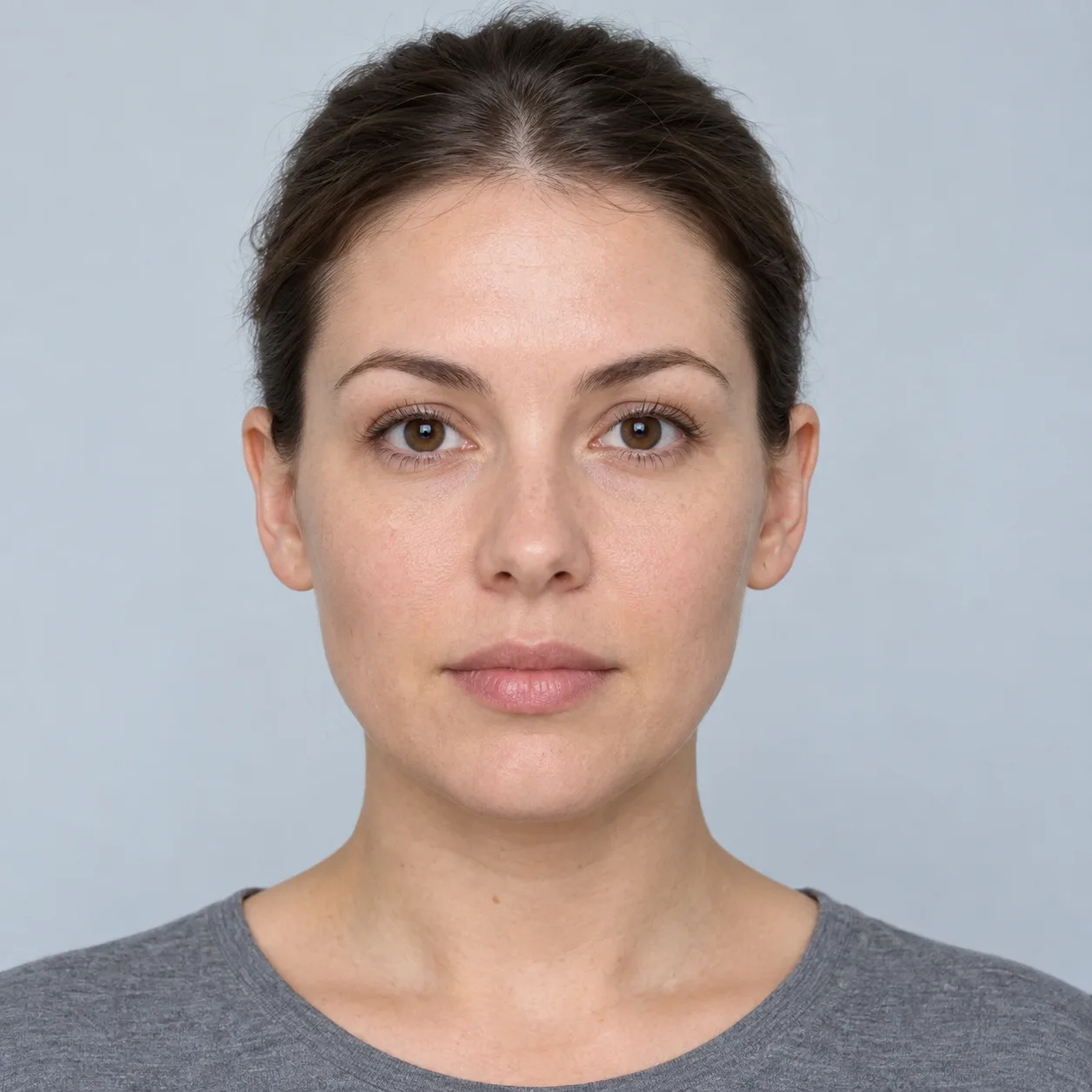
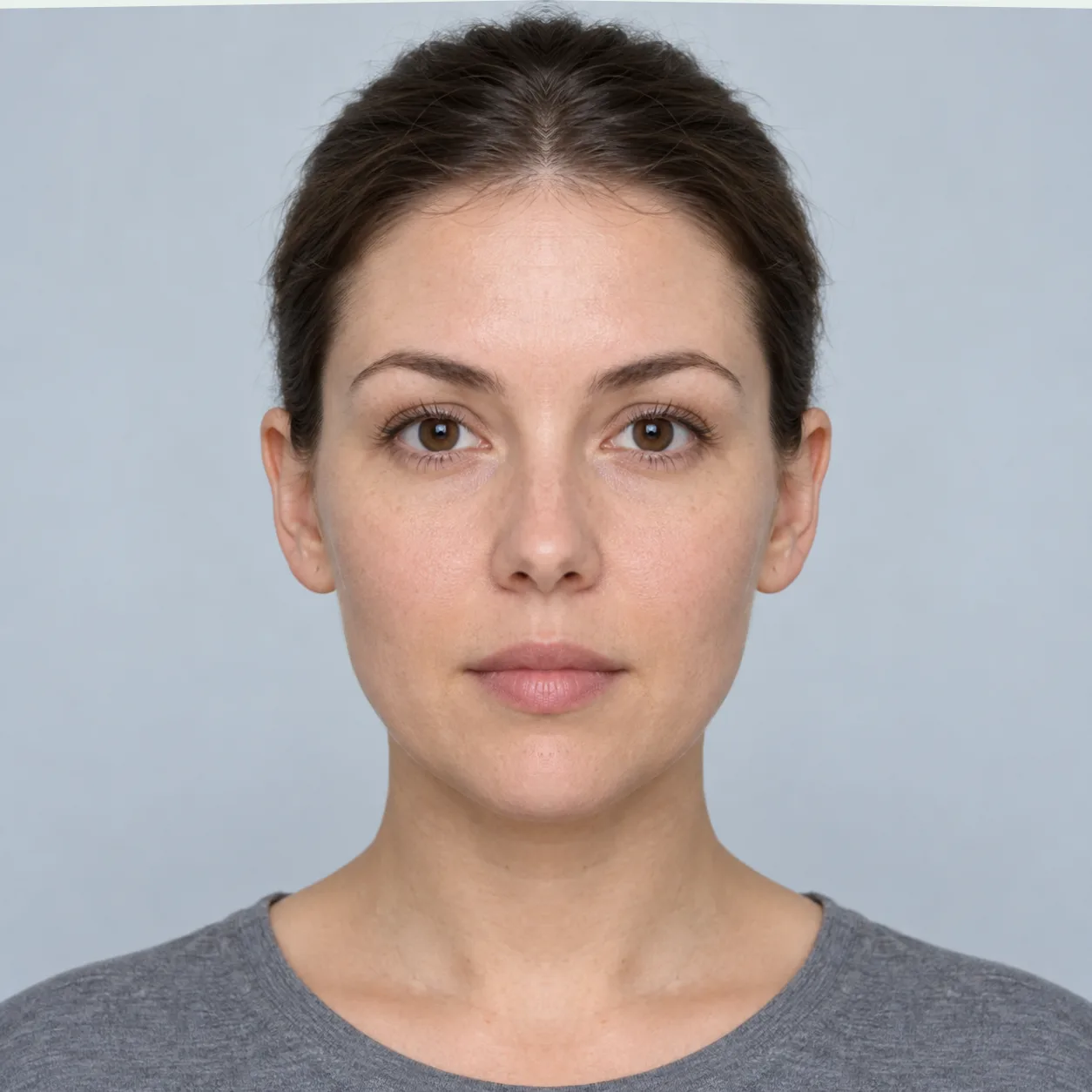
Existing sample artwork: an AI-generated fictional adult and actual mirrored-half tool outputs. The examples illustrate editing behavior; they are not photographs of a participant or evidence of treatment.
Start with one visible detail
Trace the original hair part and surrounding strands into each composite. Each output replaces one side with a reflected copy of the other. A change in hairstyle can make the two outputs feel different before you compare any facial detail.
Check the frame too
The light strips along parts of the repeated images’ edges are editing artifacts. They belong to the generated frame. They do not represent a difference in the person’s face.
Change one control
Open the generator, try the sample, move the line a little and return it to center. Observe which parts are copied and which are cropped. Keep tilt fixed while testing the line.
Follow the pixels, then check the mirror line
In the diagram, the supplied row has eight cells: A B C D | E F G H. Repeating image-left produces A B C D | D C B A. Repeating image-right produces H G F E | E F G H. A whole-row flip gives H G F E | D C B A. The vertical bar marks the middle, between cells.
For a working image of width W, the whole-image flip maps column x to W − 1 − x, counting from zero. Its vertical position stays the same. Flipping that pixel row twice restores the row’s arrangement. This describes pixels in the working canvas, not recovery of the original file’s resolution or metadata after export.
Why moving the generator line changes the crop
The generator keeps equal spans on both sides of your chosen boundary, so the shorter span determines the output width. For example, a 1,000-pixel working image with its line at 60% has 600 pixels on the left and 400 on the right. It uses 400 from each side, giving an 800-pixel-wide shared crop for all four views. It does not stretch the shorter side. At zero tilt, this example crops 200 pixels from image-left.
That control chooses an editing boundary, not a validated anatomical midline. Tilting the photo rotates it inside a fixed white frame before cropping. If you see white corners or lose part of an ear, inspect the cropped original view, reduce tilt or use a photo with more space around the head. The generator guide explains the four views and export sizes.
Why can the flipped version feel unfamiliar?
The version in your saved file may differ from the preview you framed. For example, Apple’s iPhone camera guide describes a Mirror Front Camera setting for saving the preview’s orientation. Check the setting in the app that captured your photo; other apps can have their own behavior.
In the inverted filter’s orientation check, start with ordinary printed text photographed directly toward the camera. Backward text is a useful reflection clue. Text added by an editor is not. With no reliable scene clue, describe the outputs as two orientations of one file.
A familiar orientation can affect your reaction, but neither still image recreates every view another person sees. Keep orientation separate from camera distance, lighting and expression. To investigate a close-up’s perspective, use the selfie distance guide; flipping the existing file cannot change its camera viewpoint.
Keep the experiment private and clear
Choose JPG, PNG or WebP under 20 MB; these editors reject images over 50 megapixels. Export HEIC as JPG first. Large accepted images are resized to a maximum 1,600-pixel edge for editing. These limits apply before the generator’s additional crop.
The three editors do not require a face-detection model or a photo-upload service. The site still loads its page, scripts and sample assets over the network. The separate automatic checker downloads a detector when used. Our privacy policy explains page requests, optional analytics and local photo processing.
Prepare a PNG only when you want a copy. The exported file contains your selected image or images. Clear removes the active previews and prepared download links in that editor; it does not delete files you saved elsewhere. Close the editor when finished, especially on a shared device.
Mirror face questions
Does “left face” mean my own left?
Here, image-left means the left edge of the picture as displayed. It does not label anatomical left. A previously mirrored selfie can reverse the apparent relationship. Use the displayed-side labels when choosing a generator view.
Can I make a mirror face without face detection?
Yes. The generator copies pixels around a line you place. The inverted filter reflects the complete working image. Neither needs to identify eyes, a nose or a face; they can also demonstrate the effect on a drawing or other picture you have permission to use.
Why do the left-left and right-right portraits have different widths?
They share one output frame. The apparent face width can differ because the chosen half contains a different distance from the mirror line to the facial outline. Moving the line, changing head turn or duplicating a shadow can change that impression. A composite is not a head-width measurement.
Which tool tells me how other people see me?
A still-photo editor cannot reproduce moving, three-dimensional perception. The inverted filter can reverse a known mirrored image’s left-to-right arrangement. Good Side Finder compares two actual photos. Choose according to the edit or portrait decision you want to make.
Do repeated halves show a better-looking or healthier side?
They show two constructed pictures from different source halves. Hair, expression, lighting, head position and the selected line all contribute. These tools do not establish attractiveness, health or whether a procedure would help. For background, read how perfectly symmetrical face images are made.
Can I save the same resolution as my original?
The editors work with a maximum 1,600-pixel edge. The generator also crops around your selected line, so its single-view PNG can be narrower. Comparison downloads use their own presentation canvases. Keep your original file if you need its full resolution.
Sources and page checks
Reviewed November 4, 2026 by the site publisher. We checked the three editors’ source code, image limits, reflection, cropping and local export behavior. The diagrams are original teaching artwork; the fictional sample outputs are labeled above. No independent clinical or perception validation is claimed.
- MDN: Canvas scale() — negative horizontal scaling and reflection.
- Apple: Take a selfie with your iPhone camera — the saved-selfie mirror setting.
- Our methodology — the separate checker’s defined measurements and validation status.
Editorial standards · Report a confusing output · Choose your tool