
Symmetrical Face Generator
Create two symmetrical portraits from one photo: repeat the displayed left half or the right half, adjust the mirror line, then save a PNG. Compare both with the same original crop to see what each half contributes. Your selected photo is edited in this browser; no face-detection model is needed.
Choose a half. Create both sides.
Adjust the line yourself and see the image update. No face-detection model is needed.
JPG, PNG, WebP or HEIC · Up to 20 MB · Drop one photo here
Your photo stays on this device.
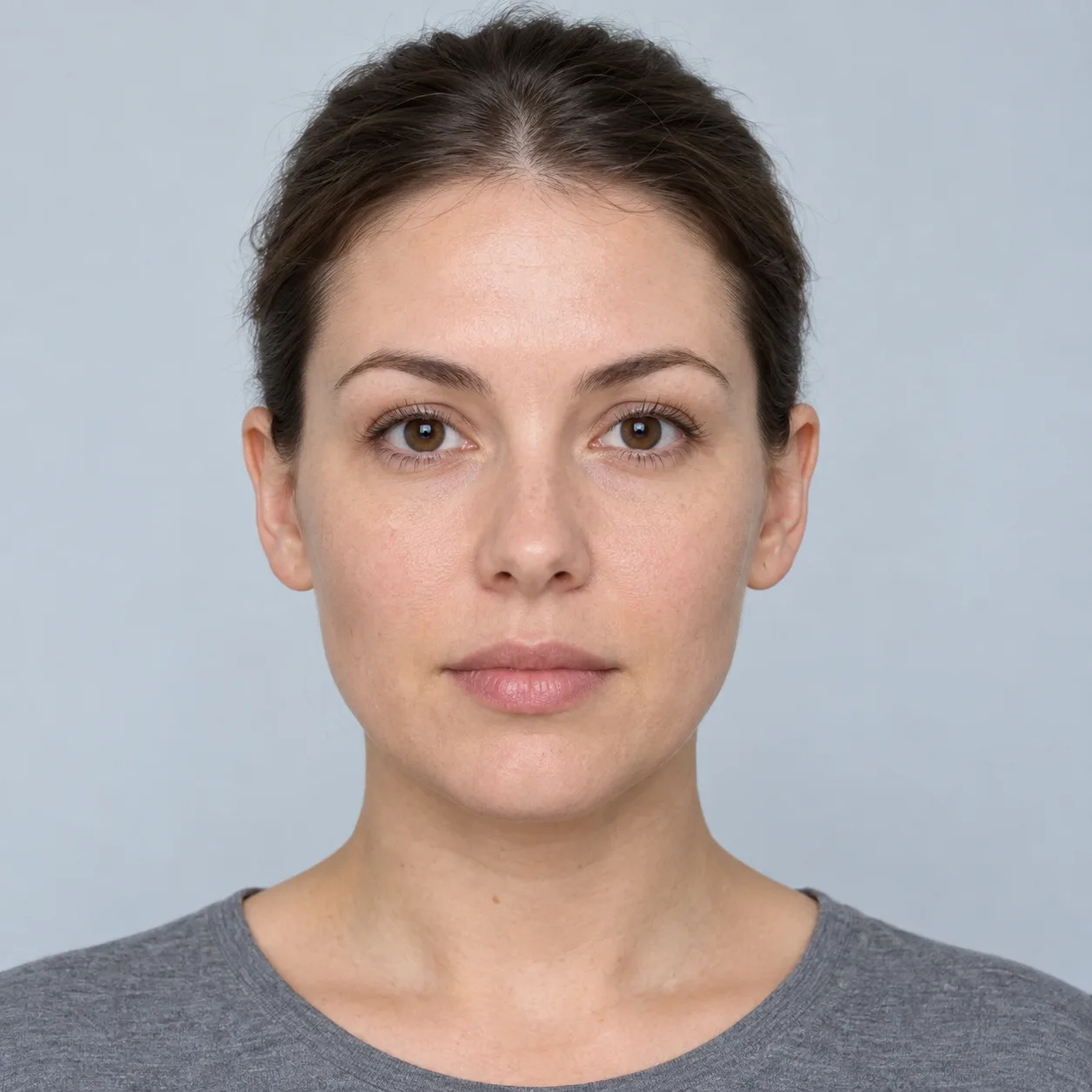
Two different takes on one portrait
Generate image-left and image-right mirrored faces, compare the original, or flip its orientation.
A visual effect with no beauty rating or symmetry score.
Make the image your own
Image-left mirrored
Selected viewYour saved image contains no mirror-line overlay.
If downloading is blocked, open the image and use your browser’s Save Image option.
Clear photo removes the previews and prepared file. Your chosen line creates an image effect.
Photo privacyMake a symmetrical face in four steps
Start with a front-facing portrait that includes both sides of the face. Even light and a relaxed expression make it easier to see what the reflection changes.
- Choose one photo
Use a JPG, PNG or WebP up to 20 MB, or try the fictional sample. “Image-left” means the left side of the displayed file; a selfie may already have been mirrored by its camera.
- Place the line deliberately
Tap the photo or move Mirror line. Use the bridge of the nose and center of the mouth as visual references, then check the whole portrait. The editor does not locate an anatomical midline.
- Compare all four views
Switch between image-left mirrored, image-right mirrored, cropped original and flipped original. Keep the same line and tilt while comparing so you are looking at the same frame.
- Save the version you want
Prepare a selected PNG or a three-image comparison, then choose Download PNG. The saved selected image has no dashed editor line. Clear photo when you finish.
Photo tilt rotates the picture inside its existing frame. It can level a leaning portrait, but it cannot undo a head turned away from the camera.
Mirroring a half and flipping a photo are different edits
A mirrored half supplies both sides of a constructed portrait. A horizontal flip reverses the existing photograph, keeping its original differences.
Image-left mirrored
The displayed left half is copied across the chosen line. Hair, highlights, shadows and expression on that half are repeated too.
Image-right mirrored
The displayed right half supplies both sides. It can look different from the left-half version because it starts with different pixels.
Cropped original
The unchanged reference inside the shared crop. Use it to check what belongs to the photo and what the reflection has introduced.
Flipped original
The same crop reversed horizontally. For the full photograph without this editor’s shared crop, use the inverted filter.

Find out what the mirror is repeating
Try the sample above at 50% line position and 0° tilt. Look at the original first, then switch between the two mirrored halves. Compare one detail at a time:
- Eyebrows: follow the height and curve that each version repeats.
- Nose and cheeks: check whether a shadow has become a matching shadow on both sides.
- Mouth: notice how repeating one corner changes the expression.
- Hair and background: look for duplicated shapes that reveal the edit immediately.
Why moving the line makes the output narrower
The editor keeps the same available width on both sides of the line. It uses the shorter distance to an image edge as the width of each half, then joins two equal halves. It does not stretch a narrow half across a wider face.

A worked crop example
Suppose the working image is 1000 × 1200 pixels and the line is at 40%. Its horizontal position is 400 pixels. The nearest edge is 400 pixels away, so each half is 400 pixels wide. The output is 800 × 1200 pixels, starting at the source’s left edge.
At 50%, the same even-width image produces 1000 × 1200 pixels. At 60%, the equal-width crop is again 800 × 1200 pixels, now starting 200 pixels from the left edge.
See the exact rule and pixel rounding
For working-image width W and chosen percentage p, the line is a = round(W × p / 100). Each half has width s = min(a, W − a). Output width is 2s, and the reference crop starts at a − s. Height is unchanged. Rounding the line to a pixel boundary means an odd-width image can lose one outer column even at 50%.
In the output, reflecting pixel column i across its middle gives column (2s − 1 − i). Their distances from the center boundary are equal. This describes pixel reflection, not anatomical alignment or 3D reconstruction.
Get a cleaner result and a usable download
A doubled nose or unusual face width
Check line placement against the original. A head turn places the two visible halves under different perspective; rotating the photo does not correct that. Try a more frontal photo rather than moving the line until a version seems ideal. Read how camera distance changes a face photo for the separate perspective question.
White corners after tilt
The photo rotates within a fixed-size frame. Areas uncovered by the rotation are filled white and can appear in the crop or reflection. Use less tilt or begin with a level photo that has space around the head.
A smaller image than the original file
Photos above 1600 pixels on their longest edge are resized to a working image. The shared crop can reduce width again. Read the displayed output dimensions before saving; the editor does not restore detail by enlarging the result.
A file that will not open or save
Convert HEIC to JPG first. Use one supported image up to 20 MB and no more than 50 megapixels. For a prepared PNG that will not download, choose Open image and use the browser’s Save Image option. Report a problem with the browser, action and error text; a personal face photo is not needed.
The selected PNG uses the output dimensions shown in the editor. The comparison PNG is a 1500 × 900-pixel layout containing the left-half composite, original reference crop and right-half composite, fitted into equal display boxes.
A constructed portrait answers a visual question
A symmetrical composite shows what happens when the pixels from one half supply both sides. It cannot show how everyone sees you in daily life, identify a health condition, predict treatment results or establish attractiveness. Motion, depth and viewpoints are absent from this single picture.
For measurements of selected points in the original photo, use the face symmetry checker and read its formula and validation limits. For the broader idea, see why two perfectly symmetrical versions can look different. If comparing images stops being useful, clear the photo and leave the experiment there.
Symmetrical face generator questions
Which side is “image-left” if my selfie is mirrored?
It is always the left side of the file currently displayed. The generator does not know whether your camera reversed that file, so it does not label it as your anatomical left or right side. Use cropped original to stay oriented.
Is this an AI face generator?
The editor uses your existing pixels, a crop and a reflection. It does not invent missing features or download a face-detection model. The optional sample is a fictional AI-generated portrait, clearly labeled separately from the editing method.
Does moving the line make the result more accurate?
It gives you control over the image effect. There is no measured anatomical target or “best” position here. Keep the line fixed when comparing the two halves, and treat a changed output as a changed edit.
Can I use the generator on a phone?
Yes, in a browser that supports the image and canvas features used by this editor. Choose a supported photo, tap to position the line or use the sliders, and prepare a PNG. Browser support and download handling can vary.
Can I save both symmetrical faces at once?
Save comparison PNG creates the two composites alongside their original reference crop in one 1500 × 900-pixel image. To keep separate files, select image-left mirrored, save its PNG, then select image-right mirrored and save again.
Can I edit another person’s photograph?
Use a photo you own or have permission to process, and respect the person’s privacy when saving or sharing. Label a shared composite as edited so it is not mistaken for an unchanged photograph. See the terms of use for the site’s rules.
Method and source notes
Content and editor behavior checked November 1, 2026. The crop example and diagrams are original explanations of this editor’s implemented pixel operations. They do not establish real-face, clinical or demographic accuracy.
- MDN: canvas scale and horizontal reflection explains reversing the drawing axis.
- MDN: drawing and cropping an image documents source and destination rectangles.
- MDN: creating a canvas image file explains the browser’s image-export operation.
Related tasks: choose among mirror face tools · compare two real portrait angles · read the editorial standards.